Programming
Laravel Suspicious Login Package: Detect and Block Risky Logins
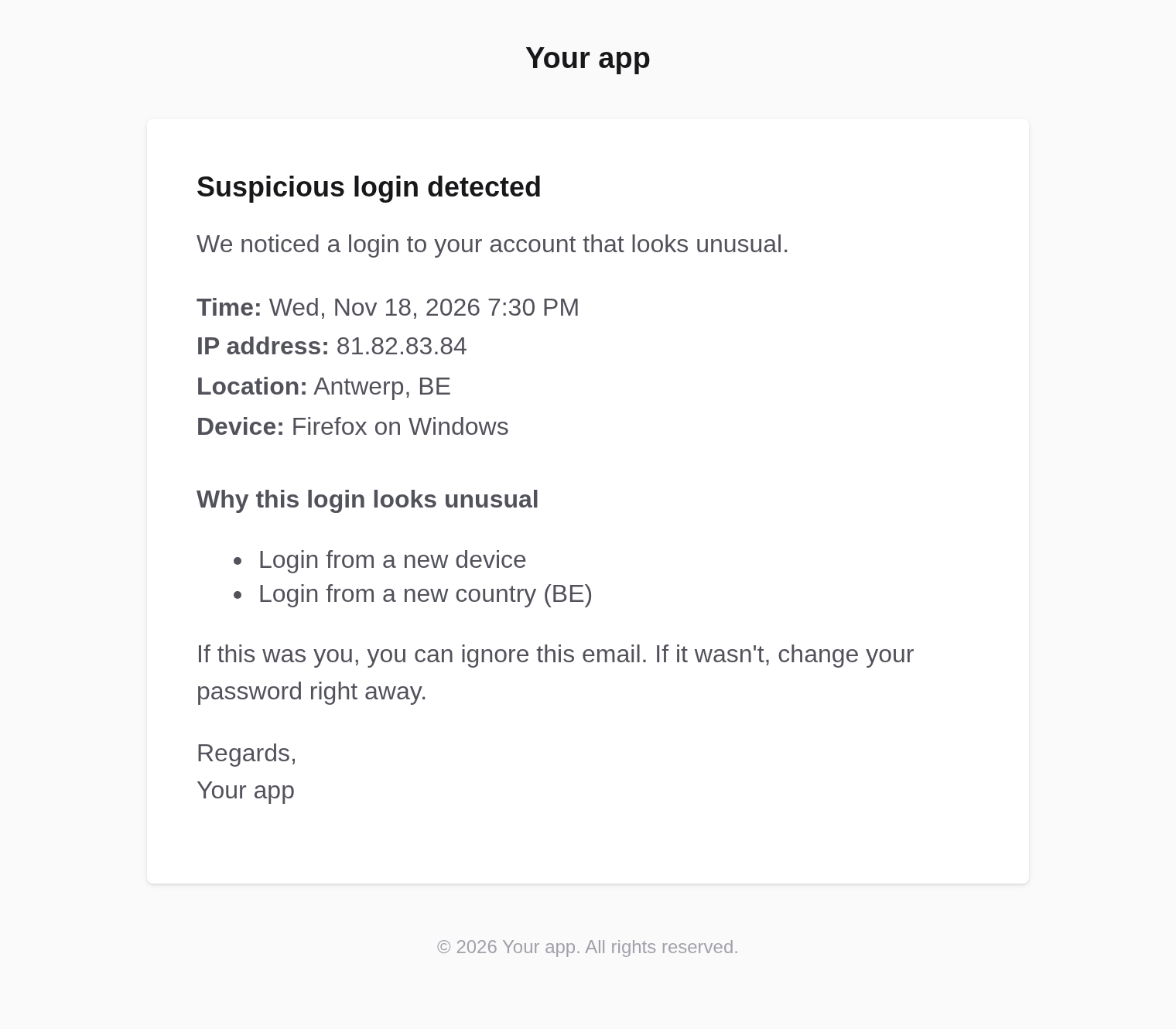
Spatie has released laravel-suspicious-login, a Laravel package that detects suspicious logins and gives you control over what happens next. Picture a user's account being used to log in from the other side of the world while its owner is sitting at home. Their credentials might have leaked. The package reads signals such as the browser, location, and earlier failed login attempts. You then decide whether to just email the user, block the login, or run your own custom actions.
You install it with Composer. If you use an AI coding agent, it can install the package for you too, because the package ships with a Laravel Boost skill for installing and customizing it.
Detecting suspicious logins with risk scores
An unfamiliar IP address alone isn't a good enough reason to reject a login, since mobile networks change addresses all the time. That's why the package combines several signals. Each check that flags a login adds a configurable number of points. With DefaultPreset, working geolocation, and an existing login history, it looks like this:
- New device: +25
- New IP address: +10
- New country: +30
- Total: 65
If the other checks pass, a score of 65 counts as medium risk. The default thresholds in config/suspicious-login.php are 40 for medium and 70 for high. DefaultPreset also checks for impossible travel, repeated failed attempts, credential stuffing, and suspicious user agents. Every login attempt, successful or failed, is logged so you can review a user's login history. Assessed logins store their score and the reasons behind it, while failed logins are recorded without a score.
Choosing when to block
A preset class combines the checks, risk thresholds, and actions in one PHP class. In the AdminPreset example for a session-based application, NewDeviceCheck is worth 30 points and NewCountryCheck is worth 40, with a medium threshold of 40 and a high threshold of 70. A new country alone is enough to trigger an email through NotifyUserAction. When a new country shows up together with a new device, the score reaches 70, the user gets an email, and the login is blocked through BlockLoginAction. You register the preset in the config under preset. You can leave out the threshold properties if you'd rather use the values from your config.
A high-risk login only runs onHighRisk(), not onMediumRisk(). That's why the email action appears in both methods. Put BlockLoginAction last, because it logs the user out and stops the request. It works with session-based logins, while other authentication flows need their own blocking action. The device and country checks compare against earlier successful logins that weren't blocked, so someone's first login won't be flagged. The country check also needs location data, and travel or VPNs can trigger it. The author suggests starting with monitoring before you turn on blocking.
Different rules for different users
You don't have to use the same preset for everyone. In the boot() method of a service provider, register a callback with SuspiciousLogin::determinePresetUsing(). In the example, an is_admin attribute from your own application makes the call: admins get AdminPreset and everyone else gets DefaultPreset.
The email itself is a regular Laravel mailable sent to the user's email address, so you don't need the Notifiable trait. To change only the subject, extend the supplied SuspiciousLoginMail and set your class as the mailable in the config. You can also use your own mailable that accepts a LoginAttempt, or publish the email view to change its content. For other needs, listen for SuspiciousLoginDetectedEvent, for example to write a warning to the log. This event also fires when you're only monitoring logins. If your Laravel app has an admin panel or sensitive data, per-user rules like this let you guard admin accounts more tightly without bothering regular users. The documentation covers the full list of events and other features.
Source: freek.dev
Category
Programming
Share